A/B testing
Tests that tell you what happened, in plain words.
Change a page in the visual editor, or test a whole new page. Peekbird shows which variation wins, by how much, and how sure it is.
Free plan: 15,000 tracked visits a month, every feature. No card needed.

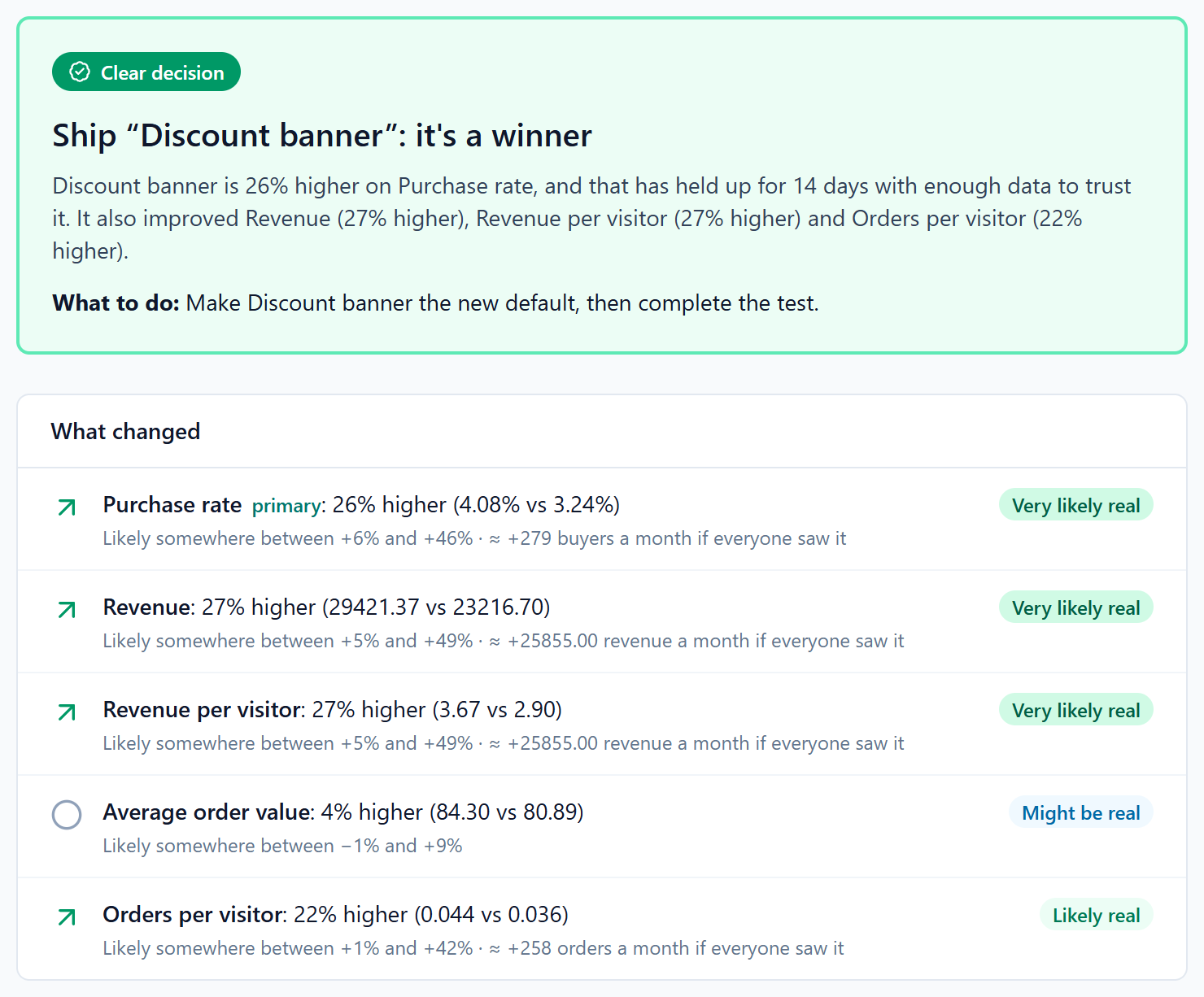
Ship “Size preselected”: it's a winner
It's up 12.4% on purchases, and that has held up for 14 days with enough data to trust it. It also improved revenue per visitor.
Purchases
Very likely realA3.1%B3.5% +12.4%Revenue per visitor
Likely realA$1.82B$2.07 +13.7%Average order value
Could be chanceA$58.70B$59.30 +1.0%
Visual editor
Change the page on the page
The editor opens on your real site, in your own browser, through the snippet you already have: no extension to install. Click anything to change it.
Type on the page
Change words where they are. Restyle anything, swap a picture or a link, hide what doesn’t work, add something new.
Drag blocks into place
Pick up a block and the page makes room for it, just as it will look. For every screen, or only phones or larger ones.
What you see is what visitors get
The editor applies your changes with the same code your visitors’ pages run. Each change is saved as you make it, and confirmed.
Changes that stay put
Applied again whenever a page redraws itself, as Shopify themes and React sites do. If a change stops finding its element, you’re told.
Everything a test needs, and nothing it doesn't
Code, when you want it
Anything the visual editor can’t do, write in JavaScript and CSS, in a code editor that checks it before it goes live.
A new page, or many changes at once
Split-URL tests send part of your visitors to another page. Multivariate tests try every combination of changes to up to three parts of a page, and show what each change does.
No flash of the old page
Your tests are built into the snippet, which loads first: no settings request to wait for, and the variation applies before the page shows, so visitors never see it change.
Aim it at the right visitors
Audiences by device, country, new or returning, traffic source, UTM tags and your own attributes. Each visitor keeps their variation, on every page and visit.
Measure what matters to you
Page visits and clicks need no code. Custom events, and revenue from your orders: conversion rate, revenue and order value.
Results in plain language
Which variation leads, by how much, and how sure that is, with the uncertainty spelled out. And a clear "too early to tell" until it is.
Check it before anyone sees it
QA and preview links force a variation in your own browser. Your QA visits never count in the results.
Feature flags and server-side tests
Roll a feature out to some visitors and switch it off in a click. Test prices or a checkout flow in your own code, in the page or on your server: SDKs for Node.js, PHP, Python, Ruby and Go.
Watch why, not just what
Every recording shows the variation its visitor saw, so you can watch the sessions behind either side of a test.
From idea to answer in four steps
- 1
Describe the change
Name the test, pick the pages it runs on, and make the change in the visual editor or in code, or point to the new page.
- 2
Choose who and what
Pick an audience and the goals that count: sign-ups, orders, revenue.
- 3
Preview, then start
Open each variation with a QA link, check the goals fire, and start it for real visitors.
- 4
Read the result
Peekbird tells you when there is a winner, and by how much, in words.
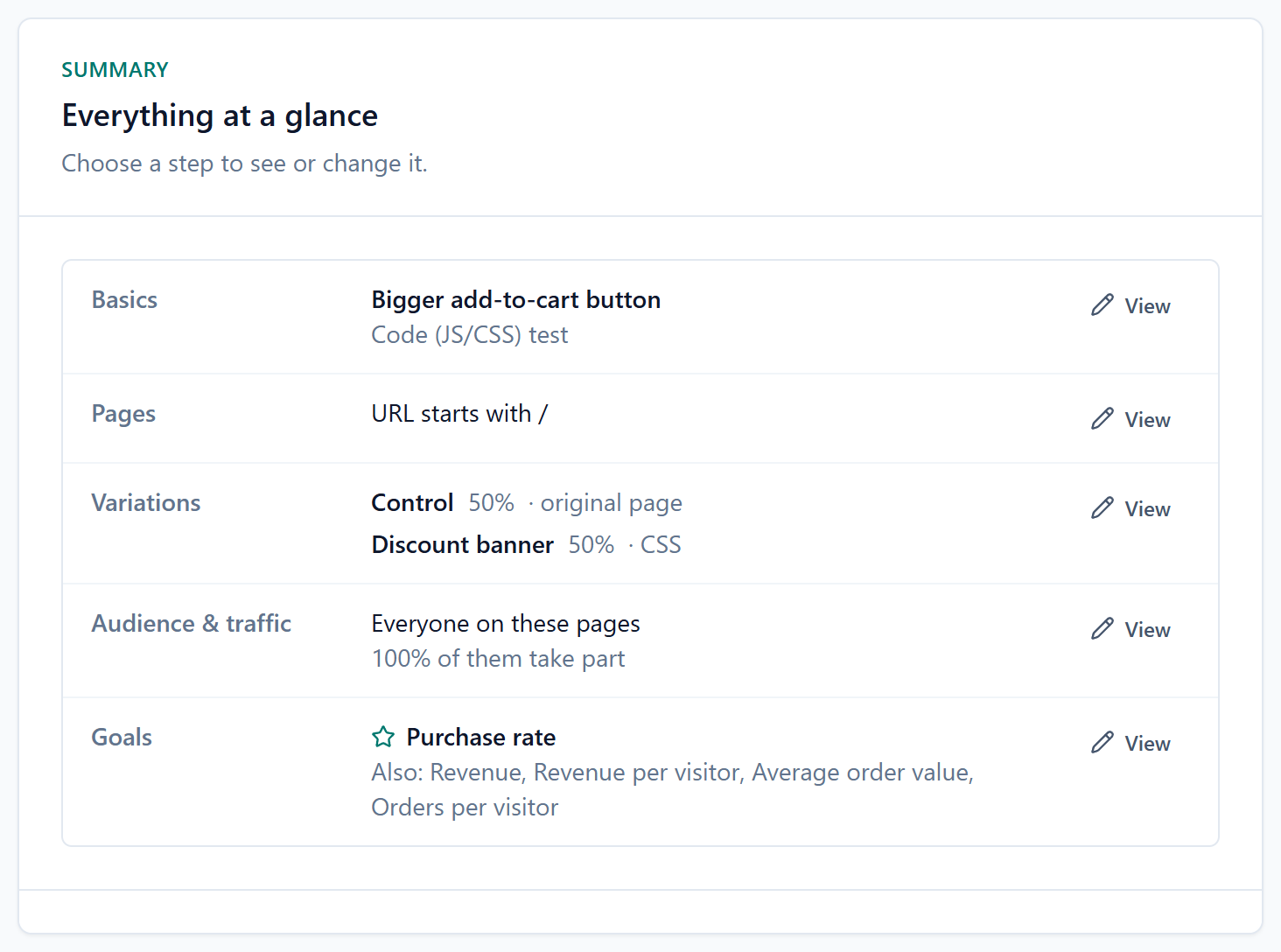
Experiment
In QAPreselect the most popular size
Variations
Who it's for
Goals
In the docs
- ExperimentsTest types, which pages a test runs on, traffic and statuses.
- The visual editorChanging your real page, for phones or larger screens.
- Goals and audiencesWhat a test measures, and who sees it.
- How results are calculatedThe statistics, and when a verdict is a verdict.
- QA and previewChecking a test before visitors see it.
- Speed and flickerHow tests apply before the page shows, and CSP.
- Feature flagsRoll a feature out, and switch it off in a click.
- Server-side SDKsFlags and tests decided on your server: Node.js, PHP, Python, Ruby, Go.
- Server APIEvents and decisions over HTTP, for any language.